
通信ドライバ
最高の技術力とサービスで産業オートメーション分野の心強いパートナーとしてしっかりサポート致します。
■ 通信ドライバの開発申請
安定的で統合的なネットワーク環境を構築できるし、あらゆる産業自動化デバイス(PLC、Control Device)とデータのやり取りができるように簡単設計が可能です。
OPC UA、MQTTを介して他のソフトウェアとデータのやり取りができるし、OLEDBをサポートするため、MS-SQL、Orcale、MySQLなどのようなDB(データベース)システムを活用できます。
Modbus、機器別プロトコール、ユーザー定義プロトコールをサポートすることで、自動化デバイスとのデータ通信を簡単に構成できます。



最新技術を集約した革新的な産業自動化ソフトウェアの開発ソリューションです。
様々な自動化モニタリングおよび制御デバイス(PLC、Contril Device)のリアルタイムデータとデータベース情報をX-SCADA(エックス・スキャダ)独自の最適な統合プラットホーム環境により、シンプルでスピーディーに構築することができます。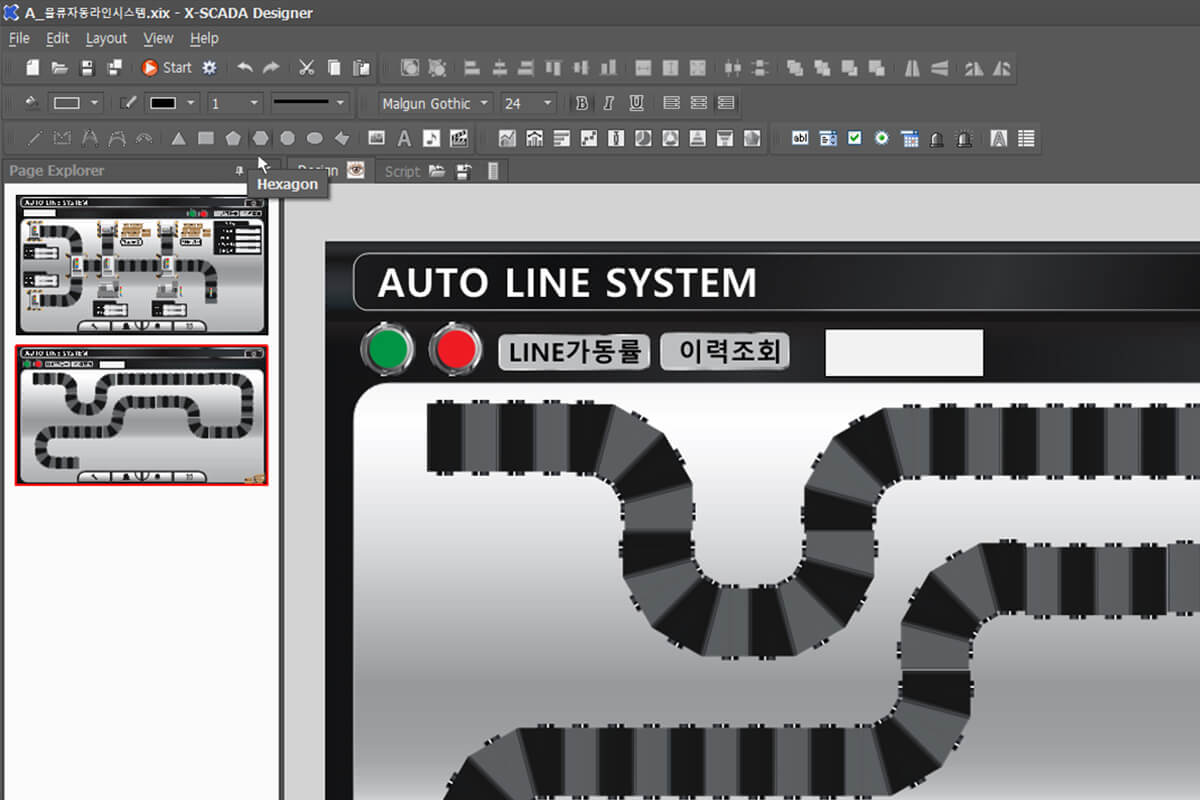
簡単なGUI
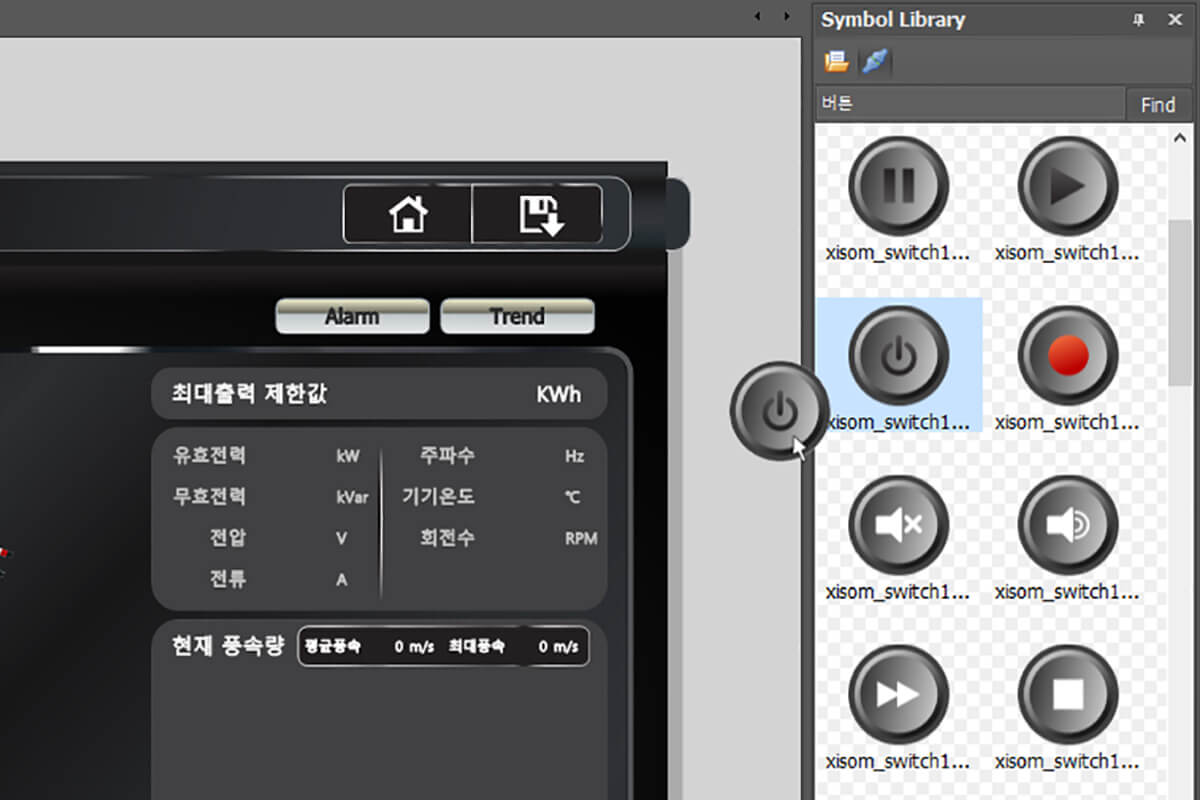
便利なSVG
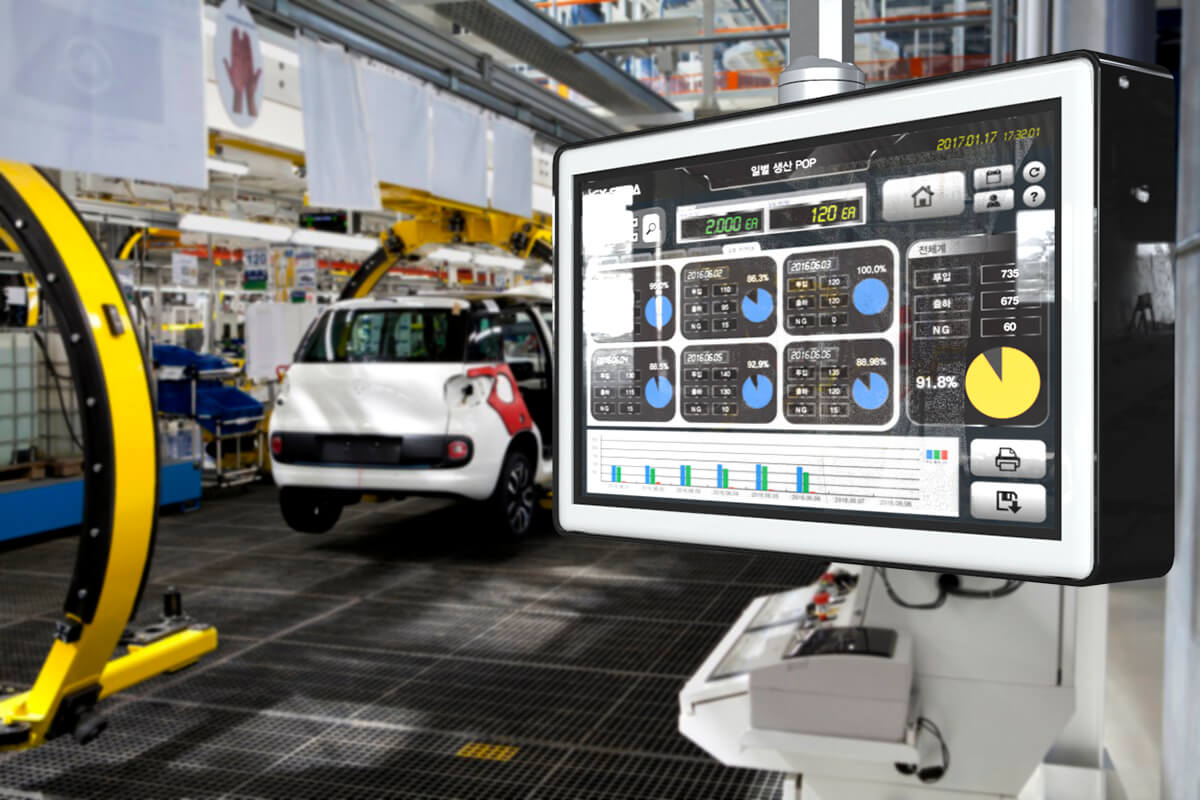
シンプルで可読性の高いビューアー

注意! キーロックがない場合、Webブラウザとモバイル接続が可能な人数は1名のみです。同時に接続した場合は先に接続したユーザーのみ使用できます。
- オブジェクト探索器でキーボードを使ってオブジェクト移動が可能
- タグエクスプローラー改善
- F2キーを通じた名前変更
- タグ個数が多いときのスピード改善
- アラート状態オブジェクトに最後の状態変更時間行(column)を追加
- トレンドチャート改善
- 実行中にY軸の最大値/最小値設定が可能
- X軸目盛固定
-
トレンドチャート/トレンドビュー
- Web専用更新周期追加
- IE, Edgeでキャプチャ画面/CSVダウンロードエラーを修正
- レシピ機能追加
- 複数のオブジェクトを選択した場合、基準となるオブジェクトを変更可能
- スクリプト編集機に検索/切り替え機能を追加
- ウェブサービス用のエクスポート時のオプションを追加
- プロジェクト開始時のスケジュール自動実行
- 各種チャートの軸ラベルフォント/色、凡例テキスト色の変更が可能
- エラーウェブページのカスタマイジングが可能
- Modbus RTU Over TCP通信を追加
- OPC-UA Client通信速度改善
- AB MicroLogixとの通信改善
- OPC UA Clientツール追加
- スケジュール機能を追加
- 日付/時刻のシステムタグを追加
- PLCつなぐタグにも演算式を使用可能
- タグのインポート/エクスポート機能の改善
- ページ画面の文字化けを修正
- 特別条件でのページの切り替えができないバグを修正
- カメラに車両番号認識機能を追加
- スクリプトのログをファイルに保存可能
- スクリプト機能の改善
- ユーザーのSQLステートメントを使用可能
- ページのスクロール制御
- ListViewのデータをCSVファイルにエクスポート機能
- Webサービス用のエクスポートの改善
- Turck Cloud通信を追加
- ScadaBrowser Controlをドッキングするときに発生するバグを修正
- Improved graphics output (drawing) performance using video acceleration
- Added the function of capture and record on camera object
- Added SMS function
- Changed alarm setting screen
- Displayed license information in info window
- Added Oracle database repository
- Supported Panasonic PLC communication
- Supported Keyence PLC communication
- Supported MELSEC iQ-F Series(FX5UC CPU) communication
- Added CSV/TXT Access communicatio
- Added OPC-UA Client communication
- Added DDE(Dynamic Data Exchange) Client communication
- Added Zebra printer middleware
- Added the function to acquire/return SW license via file
- Added a web browser object
- Added a camera object
- Added display name of alarm level and area
- Fixed the malfunction when deleting images from Designer
- Fixed a bug that caused Viewer to crash or malfunction when using database in server-side script
-
Added communjication protocol
- JSON Access communication
- XML Access communication
- Supported Vietnamese language
- Fixed a bug where Viewer does not run on Windows Server 2012
- Added a software license key
- Improved initial running speed in tag operational expression
- Improved performance by tag search by name
- Changed tag explorer UI
- Added “Display mode” on trend chart / trend view
- Added that import / export alarms
- Added “Output value type” in data export
-
Improved report
- Import / export report list
- Directly display report items in Excel
- Checked communication status in case of physical disconnection
- Fixed Simens PLC bit value read / write
-
Added communication protocol
- LSIS GLOFA FEnet
- CSV/TXT Access
- Execute (communication thru external program)
- Miracom Highway101
- Added Modbus Slave Server
- Supported setting of Y axis maximum / minimum value of ‘Mixed chart’ object
- Supported for selecting status / rating / region from ‘Alarm Status’ object
-
Fixed report bug
- Instant value output bug
- Bug that MaxTime and MinTime of digital tag are reported incorrectly
-
Improved data export
- Fixed a bug that data is missed in certain situations.
- File management only with file name and file size
- Date values export via 3 ways(DateTime, Date, Time)
- Fixed bug where tag value input window appears only on main monitor
- Fixed bug where system log cannot be seen when running Viewer file by clicking xix file
- Supported zoom in/out of Viewer screen using mouse
- Improved gestures that DoubleTap does not work well
- Fixed a bug where other serial communication would be broken if one serial communication was disconnected
- Fixed an MQTT communication bug that could not communicate with CloudMQTT
- AB PLC communication bug that incorrectly reads the value of specific BOOL type tag
- Added Toshiba MESL communication
- Supporeted tag operator
- Added gesture function
- Fixed a memomry bug
- Supported the effect of widget color(background/foreground) change
- Added an event to a digital tag
- Changing order of scenario steps avaialable
- Report items editing avaialble
- Added refresh(Ctrl+F5, Shift+F5)
- Improved of AB PLC communication
- Reading/Writing of Tag value in program are
- Bit value reading/writing of numeric type(SINT, INT, DINT, LINT)
- Supproted OPC DA
- Supprted LSIS XGI PLC address
- Supporetd MELSEC FX-Series Ethernet communication
- Improved the object function of alarm log / alarm status
- Added MS-SQL database repository
-
Added Gesture function
- Two Touch Pan: Move
- Two Touch Pinch: Zoom / Move
- Two Touch Double Tap: Return the orioginal size
- Fixed a bug when configuring a device from tag properties after updating Windows 10 (version 1709)
- Made it possible to enter tags, devices on the keyboard in Edit Property(PropertyGrid)
- Added AB PLC communication(ControlLogix, CompactLogix, MicroLogix)
- Added the function that it is possible to wirte bit value to MELSEC-Q series word address(Network communication only)
- Supported the address of OMRON CP-series(CPIE)
- Added custom network / serial protocol in Slave format
- Added installation version for Chinese and Japanes
- Supported web service of TrendChart, TrendView
- Removed control blinking (Label, ComboBox,…)
- Duplicated object properties (effect, actions) within a project
- Added “Rotation Speed Effect”
- Added “Instant Mode” in tag value setting
- Changed the device address of the tag when not using the device
- Added MELSEC FX Series PLC communication
- Added “Web Request” communication
- Added SMS (GSM Modem) communication
- Changed terms “Local into New other”
- Supported PostgreSQL
- Added “Show Title” (visible or invisible) in Runtime Settings
- Removed the DevExpress dependency when executing the Viewer
- Excel通信追加
- GE PLC SRTP(イーサネット)通信追加
- GE PLC SNP(シリアル)通信追加
- RTPデバイス(http://www.rtpcorp.com/)との通信追加
- オブジェクトの属性(エフェクト/アクション)を編集するタグをキーボードから入力できるように修正
- メール転送(特に465ポート)ができない不具合修正
- プロトコールの選択ウィンドウを変更
- スクリプトから外部プログラムを実行できるように修正
- VS2015以上で特定のX-SCADAライブラリ(Xisom.Scada.Core.dll)を使用できない不具合修正
- 文字列タグの書き出しの不具合修正
- Sentinel USB Driver インストール
X-SCADAは、こんなに便利です。
- あらゆるFA制御機器(PLC、Control Device)との超高速通信が可能です。
- PowerPointのような簡単なGUIで構成されています。
- 必要なSVGフォーマットの豊富な画像ライブラリをリアルタイムでダウンロードできます。
- 透明度、色変化、回転などの様々なエフェクトとアニメーションを表現できます。
- 様々なチャートをサポートし、生産現場に合わせて簡単に画面配置ができます。
- JavaScriptをサポートしているため、ユーザー定義プロトコールの開発ができます。
- データのエクスポートや様々な種類のDBを介したデータの保存が簡単にできます。
- ネットワークを二重化することで、通信トラブルによるデータ損失やデバイスなどを保護できます。
- アラームや設定条件による自由な画面キャプチャができます。
- Web、Mobileと互換性があるため、いつでも現場のモニタリング制御が可能です。
- 上位システムのERP、MESとデータ連動が可能です。
- X-SCADAだけで独自のERP、MESシステムを構築できます。
- ERP、MESとデータネットワークするためのミドルウェアの構築が不要です。